Skip to content

For mobile detailers

Fill the week with details, and get paid before you pack up.

Clients book a time online and pay a deposit to hold it. Jobs at the client's address come with directions and an On my way email, and checkout takes a card and a tip in the driveway.

Runs on Bookings Jobs on site
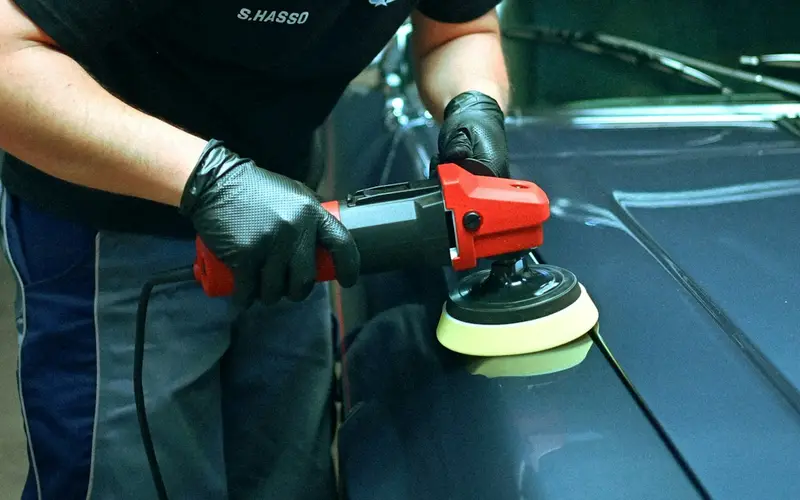
A detailer polishing the hood of a car with an orbital buffer

What mobile detailers use most

  • Online booking with a deposit
  • Pick-one packages on the quote
  • On my way emails before you pull up
  • Checkout and tips in the driveway

Sound familiar?

What gets in the way, and what changes

Booking calls you cannot take mid-detail

Your hands are wet and the vacuum is running, so the call goes to voicemail and the client books whoever picks up.

With Stacwork

Clients book an open time online for the packages you mark as bookable, and a deposit holds the slot.

Half the day spent on the road

A sedan on one side of town, an SUV on the other, and a client waiting at home with no idea when you will pull up.

With Stacwork

Schedule each detail as a job at the client's address, plan the day by drive time, open the stops in order in your phone's maps app, and tap On my way so the client gets an email.

Waiting to get paid after you drive off

The client is inside on a call when you finish, so you leave a note, send a payment request that night, and wait.

With Stacwork

Check out before you leave: the bill comes from the job with the deposit taken off, and the client adds a tip and pays by card. If they cannot come out, send a pay link.

How it runs

One full detail, start to paid

An SUV that carries two dogs, detailed in the client's driveway.

Sample names and figures.

  1. Mon 7:40

    A detail requested from your website

    Priya asks for a full detail on her SUV and mentions the dog hair.

  2. Mon 8:15

    Three packages on one quote

    Basic, full, and premium as pick-one tiers from $180 to $320, with pet hair removal as an add-on to tick.

  3. Mon 12:30

    Picked, signed, and a deposit paid

    She picks the $240 full detail, ticks pet hair removal, signs on screen, and pays a $50 deposit.

  4. Thu 7:50

    Marco's route on his phone

    Three details in an order that drives less, opened in order in his maps app.

  5. Thu 10:05

    On my way

    Priya gets an email that Marco is coming, with his arrival estimate.

  6. Thu 13:10

    Before and after photos

    The checklist ticked, and photos of the seats and the cargo area saved on the job.

  7. Thu 13:20

    Paid in the driveway, with a tip

    The $50 deposit comes off the bill, and Priya adds a tip and pays by card at the tailgate.

Features for mobile detailers

Built around booked details and the drive between them

Anything tagged Team and up needs Team or Unlimited. Everything else is on every plan, Free included.

Bookings and deposits

  • Online booking for your packages

    Clients book an open time online for the services you mark as bookable.

  • A deposit to hold the slot

    Take a deposit when a client books, to hold the time.

  • Clients pick their detailer, or anyone

    Clients choose a provider, or anyone available, when more than one can do the service.

  • A gap after each booking for the drive

    Online booking offers only times inside each provider's hours, outside their time off, with the gap you set after each booking.

Packages and add-ons

  • Basic, full, and premium as pick-one tiers

    Proposal mode adds your own sections and pick-one pricing tiers.

  • Add-ons the client ticks before accepting

    Add optional extras the client can tick on or off before accepting.

  • Package prices built from your catalog

    Build each pricing tier from catalog items, so prices stay consistent.

  • A deposit paid when they accept

    Ask for a deposit when the client accepts, paid by card or bank.

On the road

  • Plan the day by drive time

    Plan a team member's day by drive time: Fill the day adds the jobs with no time that fit with the least driving, and Better route shows an order that drives less. Drive times are estimates, not live traffic, and nothing moves until you accept.

  • The day's stops opened in your maps app

    My Day opens the day's stops in order in the phone's maps app, and you can let your team plan their own day.

  • On my way emails

    Tap On my way and the client gets an email saying you are coming, with your arrival estimate if you add one.

  • Checklists and before and after photos

    Checklists, notes, photos, and the client's signature on each job.

Paid and reviewed

  • Card and tip taken before you leave

    Check out on site: the bill comes from the work with the deposit taken off, the client can add a tip, and you charge a card, record cash or a check, or send a pay link.

  • The deposit taken off the bill

    A deposit paid on the quote or at booking comes off the invoice on its own, and is never counted twice.

  • A pay link when the client is out

    Every invoice has a pay link. Clients pay by card or bank transfer, with no account needed.

  • Review requests after each detail Team and up

    Review requests are drafted after finished work.

See everything in Stacwork

Plans

Every plan runs the whole loop.

Free covers request to paid in all five ways of working. Team and up adds the tools that keep clients close and the office ahead.

Free

For a solo operator getting started.

$0/month

billed monthly

  • Clients, quotes, work, and invoicing
  • All five work modes, with online booking, rentals, and the Register
  • Catalog, reports, and automated setup
  • 2 team members
  • 25 automated drafts per month
  • 2.5% card fee, 1% bank fee (capped)
  • 0.5% on cards taken in person
Start free
Most popular

Team

For a small team running the day together.

$49/month

billed monthly

  • Everything in Free, plus
  • Customer portal and messaging
  • Two-way texting from your own local or toll-free number
  • 500 texts a month, then $0.0229 each, $30 texting setup
  • Automations, inventory, and Co-work
  • Custom roles in the role editor
  • Up to 10 team members, then $10 each
  • 500 automated drafts per month, then $0.08 each
  • 1% card fee, 0.5% bank fee (capped)
  • 0.5% on cards taken in person
Try Team free for 7 days

The card and bank fees are Stacwork's platform fee, on top of standard Stripe processing on the payments you take. The Team trial needs no credit card. After 7 days you stay on Free unless you subscribe, and your data stays.

Work out your costs Compare every plan, including Unlimited

Questions from mobile detailers

Straight answers about how Stacwork runs your day.

Can clients book a detail and pay a deposit online?

Yes. Mark the packages clients can book online, and they pick an open time and pay a deposit to hold it. The deposit comes off the bill on its own, so it is never counted twice.

I go to the client. Should a detail be a booking or a job?

Both are on every plan, so switch on both in Settings. Online booking lets a client pick a time and pay a deposit. A detail you schedule as a job carries the client's address on a map with directions, fits into a day planned by drive time, and gets On my way emails. Today's jobs and bookings share one schedule, in time order.

Can I offer packages with add-ons?

Yes. In proposal mode, set out your packages as pick-one tiers built from your catalog, and add extras like pet hair removal or headlight restoration that the client ticks on or off before accepting. You can ask for a deposit when they accept.

Can clients tip when the car is done?

Yes. At checkout the bill comes from the work with the deposit taken off, and the client adds a tip before you charge their card or record cash. The tip is added at checkout, not on a pay link.

Will clients get a reminder and a review request?

On Team and up, yes. Booked clients get reminders the day before and an hour before, jobs can get a confirmation and a day-before reminder, and a review request is drafted after finished work for you to approve.

Is there a free plan for a one-van operation?

Yes. Free runs the whole loop from request to paid, for up to 2 people. Reminders, review requests, and the client portal are on Team, and every new account gets Team free for 7 days without a card. See the plans below for prices.

Fill next week's details online.

Free runs the whole loop for up to 2 people. No credit card.