Skip to content

For plumbers

Quote it, fix it, and get paid before you leave.

Fit the emergency calls around the booked work, quote a water heater three ways, and check out at the job with the parts already on the bill. The calendar, the quote, and the payment live in one place.

Runs on Jobs on site
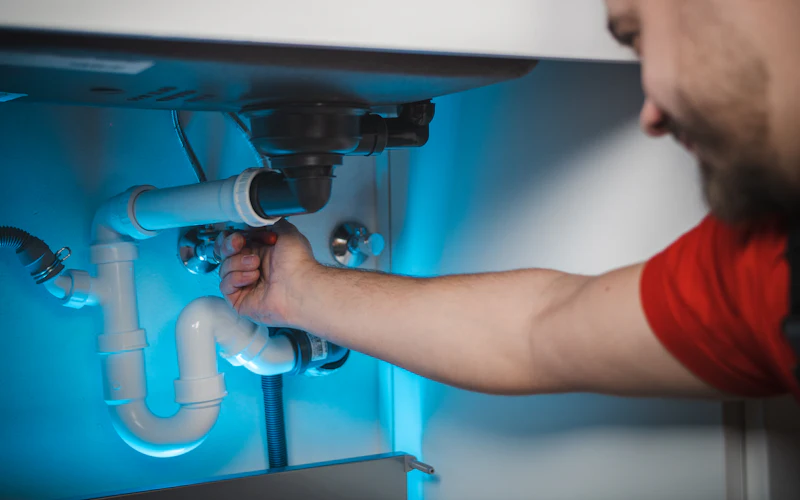
A plumber fixing the pipes under a sink

What plumbers use most

  • Good, better, best options on one quote
  • A deposit when the customer accepts
  • Parts used carried onto the invoice
  • Check out on site before you leave

Sound familiar?

What gets in the way, and what changes

Emergency calls wreck the booked day

A burst pipe comes in mid-morning, the day you planned falls apart, and the office is juggling whose afternoon can take it.

With Stacwork

Add the call to a plumber's column at the time it needs, get a warning if it overlaps their work, and they get an email that it is theirs. Better route shows an order for the rest of the day that drives less.

One price for a water heater, then silence

Customers who see one number for a new tank go looking for two more quotes, and you never hear back.

With Stacwork

Put a standard tank, a bigger one, and a tankless unit on one proposal as pick-one tiers built from your catalog. They choose, sign on screen, and pay the deposit.

Parts and hours scribbled on a work order

The valve and fittings you grabbed from the truck, and the extra hour under the sink, rarely make it onto the invoice typed up that night.

With Stacwork

Record the materials and log the time on the job, and both carry onto the invoice. Check out on site before you pack up.

How it runs

One water heater, call to paid

A leaking tank, quoted three ways and replaced the next day.

Sample names and figures.

  1. Mon 7:40

    A leaking water heater

    The customer writes in from the request form on your website, before the office opens.

  2. Mon 9:15

    Quoted three ways

    A 40 gallon tank at $1,850, a 50 gallon at $2,300, or tankless at $4,200, each tier built from your catalog.

  3. Mon 11:50

    The 50 gallon, signed

    They pick the middle option, sign on screen, and pay a $500 deposit by card.

  4. Tue 7:55

    Dana's day on her phone

    The swap at 10:00 sits between two service calls, in an order that drives less.

  5. Tue 9:35

    On my way

    Dana taps On my way, and the customer gets an email with her arrival estimate.

  6. Tue 13:10

    New tank in

    A new shutoff valve recorded as a material, and photos of the finished install on the job.

  7. Tue 13:25

    Paid before Dana leaves

    The bill comes from the job with the $500 deposit taken off, and the customer pays the rest by card.

Features for plumbers

Built around service calls and big installs

Anything tagged Team and up needs Team or Unlimited. Everything else is on every plan, Free included.

Quote the job

  • Good, better, best options on one quote

    Proposal mode adds your own sections and pick-one pricing tiers.

  • Each option built from your catalog

    Build each pricing tier from catalog items, so prices stay consistent.

  • Extras the customer can tick, like a new valve

    Add optional extras the client can tick on or off before accepting.

  • A deposit on the bigger jobs

    Ask for a deposit when the client accepts, paid by card or bank.

Fit in the calls

  • A column per plumber on the day view

    See work by day with a column per person, by week or month, as a list, or as an agenda of the day by person. Click an open time to add work there.

  • Drag a call onto a plumber and a time

    Drag work from To schedule, beside the calendar, onto a person or a time, or move it to a new time.

  • A warning before you double book someone

    The calendar marks work that lands on someone's time off, and you are warned before you give someone work that overlaps work they already have.

  • Plan each plumber's day by drive time

    Plan a team member's day by drive time: Fill the day adds the jobs with no time that fit with the least driving, and Better route shows an order that drives less. Drive times are estimates, not live traffic, and nothing moves until you accept.

At the house

  • Each plumber's day on their phone

    Your team gets My Day on their phone: their schedule, job details, and profile.

  • On my way emails with an arrival estimate

    Tap On my way and the client gets an email saying you are coming, with your arrival estimate if you add one.

  • Photos, notes, and the customer's signature

    Checklists, notes, photos, and the client's signature on each job.

  • Parts used carried onto the invoice

    Record the materials used, and they carry onto the invoice too, with their tax.

Get paid

  • Check out on site before you leave

    Check out on site: the bill comes from the work with the deposit taken off, the client can add a tip, and you charge a card, record cash or a check, or send a pay link.

  • The deposit comes off the final bill

    A deposit paid on the quote or at booking comes off the invoice on its own, and is never counted twice.

  • A pay link on every invoice

    Every invoice has a pay link. Clients pay by card or bank transfer, with no account needed.

  • Payment reminders that stop once paid Team and up

    Payment reminders are drafted before the due date and after it, and stop once the invoice is paid.

See everything in Stacwork

Plans

Every plan runs the whole loop.

Free covers request to paid in all five ways of working. Team and up adds the tools that keep clients close and the office ahead.

Free

For a solo operator getting started.

$0/month

billed monthly

  • Clients, quotes, work, and invoicing
  • All five work modes, with online booking, rentals, and the Register
  • Catalog, reports, and automated setup
  • 2 team members
  • 25 automated drafts per month
  • 2.5% card fee, 1% bank fee (capped)
  • 0.5% on cards taken in person
Start free
Most popular

Team

For a small team running the day together.

$49/month

billed monthly

  • Everything in Free, plus
  • Customer portal and messaging
  • Two-way texting from your own local or toll-free number
  • 500 texts a month, then $0.0229 each, $30 texting setup
  • Automations, inventory, and Co-work
  • Custom roles in the role editor
  • Up to 10 team members, then $10 each
  • 500 automated drafts per month, then $0.08 each
  • 1% card fee, 0.5% bank fee (capped)
  • 0.5% on cards taken in person
Try Team free for 7 days

The card and bank fees are Stacwork's platform fee, on top of standard Stripe processing on the payments you take. The Team trial needs no credit card. After 7 days you stay on Free unless you subscribe, and your data stays.

Work out your costs Compare every plan, including Unlimited

Questions from plumbers

Straight answers about how Stacwork runs your day.

Can I fit an emergency call into a booked day?

Yes. Click an open time in a plumber's column on the calendar to add the job there, or drag it onto them from To schedule. You are warned before you give someone work that overlaps what they already have, and they get an email that the job is theirs. Better route then shows an order for the rest of their day that drives less. Drive times are estimates, not live traffic.

Can I quote a water heater with good, better, and best options?

Yes. Proposal mode adds pick-one pricing tiers and your own sections, and each tier is built from your catalog items so prices stay consistent. The customer chooses one, then accepts and signs on screen from the link.

Do I have to retype the parts onto the invoice?

No. Record the materials used on the job and they carry onto the invoice with their tax, along with any billable time. The finished job turns into an invoice in one click.

Will customers know when the plumber is on the way?

Yes. The plumber taps On my way on their phone, and the customer gets an email saying they are coming, with an arrival estimate if the plumber adds one.

Can I keep photos and paperwork with each job?

Yes. Each job holds checklists, notes, photos, and the customer's signature. Keep its documents there too, such as a supplier's quote or a permit, added from the office or a phone.

Can I track water heaters and parts in stock?

On Team and up. Track stock with reorder levels and supplier details. Parts on accepted quotes and open work are set aside, so you see what is really free, and stock comes down when work lines are completed or an invoice is finalized.

Get your next service call on the calendar.

Free runs the whole loop for up to 2 people. No credit card.