Skip to content

For self storage operators

Know every unit, and who is behind, at a glance.

One Units board shows what is vacant, reserved, occupied, or moving out, with the tenant on each unit. Rent invoices are made from the move-in date, autopay charges the saved card, and overdue rent shows on the unit.

Runs on Unit rentals
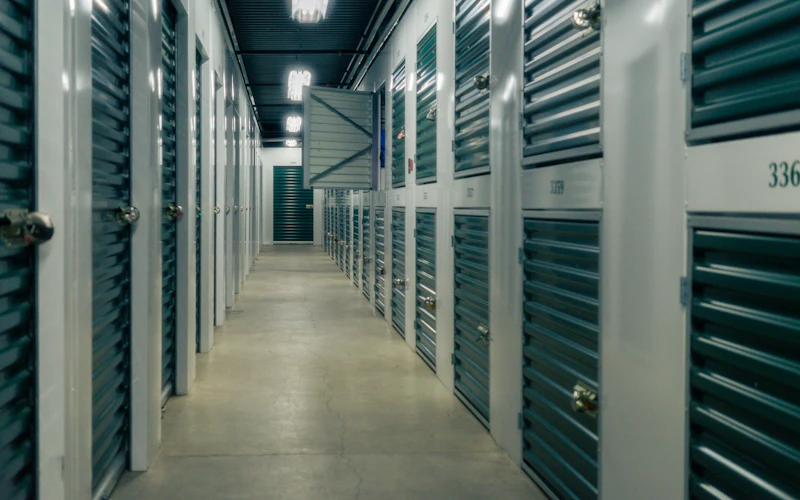
A hallway of green storage unit doors with padlocks

What self storage operators use most

  • Every unit on one Units board
  • Rent a unit in one step
  • Rent on autopay
  • Overdue rent shown on the unit

Sound familiar?

What gets in the way, and what changes

A unit spreadsheet that is never current

Someone moved out last week, a unit is held for a Friday move-in, and the sheet still says both are occupied.

With Stacwork

The Units board shows every unit as vacant, reserved, occupied, or moving out, and changes on the move-in and move-out dates.

Rent collection that eats the first week of the month

You send rent notices, wait on checks, and work down a list of who has paid and who has not.

With Stacwork

Rent invoices are created from each tenant's move-in date, and with rent set to send on its own, autopay charges their saved card or bank account on the due date.

Late tenants you notice too late

A card is declined, two months go by, and you only find out when the tenant stops answering.

With Stacwork

Overdue rent shows on the unit. A declined card is tried again 3 and 7 days later, then the tenant gets the pay link and you are told.

How it runs

One new tenant, start to paid

A 10x10 unit rented over the phone on Monday and moved into on Thursday.

Sample names and figures.

  1. Mon 10:05

    B14 is vacant

    A caller needs a 10x10, and the Units board shows B14 vacant.

  2. Mon 10:12

    Rented in one step

    You rent B14 to Dana with Thursday as the move-in date and rent at $95 a month, and the board shows it reserved.

  3. Mon 10:20

    Move-in total paid

    Dana pays the first month and a $50 security deposit by card from the pay link, and puts rent on autopay as she pays.

  4. Thu 9:00

    Move-in day

    On the move-in date, B14 changes to occupied on the board with Dana as the tenant.

  5. Thu 9:05

    Rent on its schedule

    Monthly rent invoices are created from Thursday's move-in date, and autopay charges Dana's card on each due date.

Features for self storage operators

Built around units, tenants, and rent

Anything tagged Team and up needs Team or Unlimited. Everything else is on every plan, Free included.

Your units

  • Every unit and its tenant on one board

    One Units board shows every unit as vacant, reserved, occupied, or moving out, with its tenant.

  • Add units in batches with a size and rate

    Add units in batches, with a size and a default rate.

  • Move-ins and move-outs on their dates

    Move-ins and move-outs happen on their dates, and the board changes on the day.

  • Rental units kept in your catalog

    Rooms, equipment, and rental units live in the catalog too.

Move-in and move-out

  • Rent a unit in one step

    Rent a unit in one step: the tenant, the move-in date, and the rent.

  • Prepaid rent or a security deposit

    Take a deposit with the rent: prepaid rent that comes off the next rent invoice, or a refundable security deposit.

  • Move-in total paid from a pay link

    Tenants pay a deposit, or the move-in total, by card from a pay link, and can save the card and put rent on autopay as they pay. Or you record cash or a check.

  • Settle the deposit at move-out

    At move-out you apply the security deposit to what the tenant owes, refund it, or keep part of it with a note. Nothing settles on its own.

Collecting rent

  • Rent invoices from the move-in date

    Rent invoices are created from the move-in date on the schedule you choose.

  • Autopay on a saved card or bank account

    Autopay charges a recurring or rent bill to the client's saved card or bank account on its due date, after the bill is emailed with the card and the date on it.

  • Declined cards tried again at 3 and 7 days

    A declined card is tried again 3 and 7 days later. After the last try the client gets the pay link and you are told.

  • Overdue rent shown on the unit

    Overdue rent shows on the unit, so you can see who is behind.

The tenant portal

  • Tenants give notice to move out online Team and up

    Tenants give notice to move out from the customer portal.

  • Tenants update their card and autopay Team and up

    Clients add or remove a card or bank account in the portal, and turn autopay on or off for each plan.

  • Tenants see and pay their invoices Team and up

    A customer portal where clients see their quotes, invoices, work, and messages, and pay online.

  • Your logo on the tenant portal Team and up

    Your logo and business name at the top of the customer portal.

See everything in Stacwork

Plans

Every plan runs the whole loop.

Free covers request to paid in all five ways of working. Team and up adds the tools that keep clients close and the office ahead.

Free

For a solo operator getting started.

$0/month

billed monthly

  • Clients, quotes, work, and invoicing
  • All five work modes, with online booking, rentals, and the Register
  • Catalog, reports, and automated setup
  • 2 team members
  • 25 automated drafts per month
  • 2.5% card fee, 1% bank fee (capped)
  • 0.5% on cards taken in person
Start free
Most popular

Team

For a small team running the day together.

$49/month

billed monthly

  • Everything in Free, plus
  • Customer portal and messaging
  • Two-way texting from your own local or toll-free number
  • 500 texts a month, then $0.0229 each, $30 texting setup
  • Automations, inventory, and Co-work
  • Custom roles in the role editor
  • Up to 10 team members, then $10 each
  • 500 automated drafts per month, then $0.08 each
  • 1% card fee, 0.5% bank fee (capped)
  • 0.5% on cards taken in person
Try Team free for 7 days

The card and bank fees are Stacwork's platform fee, on top of standard Stripe processing on the payments you take. The Team trial needs no credit card. After 7 days you stay on Free unless you subscribe, and your data stays.

Work out your costs Compare every plan, including Unlimited

Questions from self storage operators

Straight answers about how Stacwork runs your day.

Can tenants pay their move-in costs before they arrive?

Yes. Tenants pay the deposit, or the whole move-in total, by card from a pay link, and can save the card and put rent on autopay as they pay. You can also record cash or a check at the counter.

What kinds of deposit can I take?

Two kinds, taken with the rent: prepaid rent, which comes off the next rent invoice, or a refundable security deposit. When a tenant pays by card, the money goes to your own Stripe account.

What happens to the deposit when a tenant moves out?

You decide. Apply the security deposit to what the tenant owes, refund it, or keep part of it with a note. Nothing settles on its own.

How do I see who is behind on rent?

Overdue rent shows on the unit, so the tenants who are behind stand out. When autopay is on, a declined card is tried again 3 and 7 days later, and after the last try the tenant gets the pay link and you are told.

Can tenants give notice online?

On Team and up, tenants give notice to move out from the customer portal, where they also see their invoices and pay online.

Can I set up all my units at once?

Yes. Add units in batches, each batch with a size and a default rate, and every unit shows on the Units board with its status.

See every unit on one board.

Free runs the whole loop for up to 2 people. No credit card.