Skip to content

For RV and boat storage businesses

Every space on the lot, and who is parked in it.

Add covered and open spaces in batches with a size and a rate, rent one in a single step, and let autopay collect the rent while the boat sits for the winter. Overdue rent shows on the space before you walk the lot.

Runs on Unit rentals
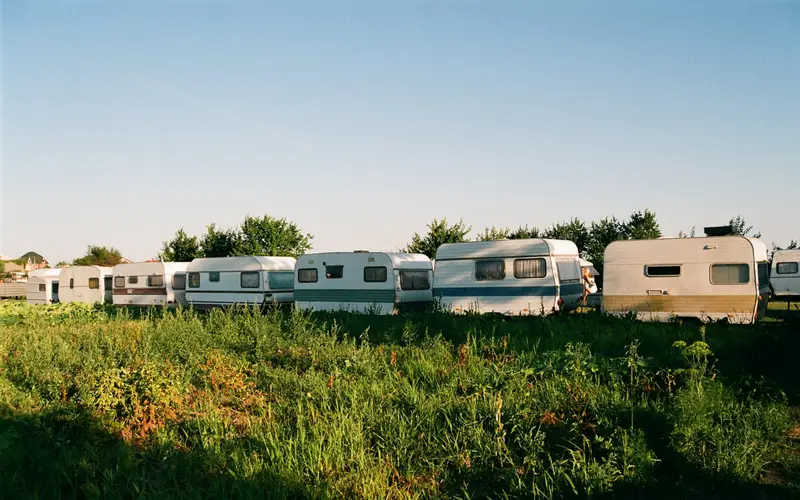
A row of travel trailers parked in a grassy lot

What RV and boat storage businesses use most

  • Spaces added in batches with a size and rate
  • One board for every space on the lot
  • A deposit taken with the first rent
  • Rent charged on autopay

Sound familiar?

What gets in the way, and what changes

A lot map pinned to the office wall

Space 22 is marked taken in pencil, the pontoon in 31 left in March, and the paper never caught up.

With Stacwork

Each space shows on one Units board as vacant, reserved, occupied, or moving out, with its tenant, and the board changes on the day someone moves in or out.

Spaces of every length, priced from memory

A 20 foot space for a bass boat and a 45 foot pull-through for a motorhome should not cost the same, but the rate sheet lives in your head.

With Stacwork

Add spaces in batches, each batch with a size and a default rate, so each size of space carries its own price.

Winter tenants who forget about the bill

The camper is put away in October, the owner heads south, and by February the checks have stopped.

With Stacwork

Tenants save a card when they pay the move-in total and put rent on autopay. A declined card is tried again 3 and 7 days later, and overdue rent shows on the space.

How it runs

One winter tenant, start to paid

A 24 foot pontoon boat put into a covered space for the winter.

Sample names and figures.

  1. Sat 9:30

    A request for winter storage

    Ray asks about covered storage for his pontoon through the request form on your website.

  2. Sat 11:00

    C7 is open

    The board shows which covered spaces are vacant, and C7 fits a 24 foot boat.

  3. Sat 11:10

    Rented with a deposit

    You rent C7 to Ray from Monday at $140 a month, with a $140 refundable security deposit.

  4. Sat 11:25

    Move-in total paid in cash

    Ray pays the first month and the deposit in cash at the office, and you record it.

  5. Sat 11:30

    A card on file for the rent

    You send Ray a link to save a card, so autopay can charge each month's rent on its due date while he is away.

  6. Mon 8:00

    Moved in

    C7 turns occupied on the board on Monday, with Ray as the tenant.

Features for RV and boat storage businesses

Built around spaces, seasons, and rent

Anything tagged Team and up needs Team or Unlimited. Everything else is on every plan, Free included.

Spaces and lots

  • Spaces added in batches with a size and rate

    Add units in batches, with a size and a default rate.

  • One board for every space and its tenant

    One Units board shows every unit as vacant, reserved, occupied, or moving out, with its tenant.

  • The board changes on move-in and move-out days

    Move-ins and move-outs happen on their dates, and the board changes on the day.

  • Spaces live in your catalog

    Rooms, equipment, and rental units live in the catalog too.

Moving in

  • Rent a space in one step

    Rent a unit in one step: the tenant, the move-in date, and the rent.

  • Prepaid rent or a refundable deposit

    Take a deposit with the rent: prepaid rent that comes off the next rent invoice, or a refundable security deposit.

  • Pay by card from a link, or record cash

    Tenants pay a deposit, or the move-in total, by card from a pay link, and can save the card and put rent on autopay as they pay. Or you record cash or a check.

  • Each tenant's contacts and notes on one record

    Each client has one record: contacts, service and billing addresses, notes, and tags.

Rent through the season

  • Rent invoices on the schedule you choose

    Rent invoices are created from the move-in date on the schedule you choose.

  • Autopay on the tenant's saved card

    Autopay charges a recurring or rent bill to the client's saved card or bank account on its due date, after the bill is emailed with the card and the date on it.

  • A second and third try on a declined card

    A declined card is tried again 3 and 7 days later. After the last try the client gets the pay link and you are told.

  • See who is behind on each space

    Overdue rent shows on the unit, so you can see who is behind.

End of season

  • Tenants give notice from the portal Team and up

    Tenants give notice to move out from the customer portal.

  • Apply, refund, or keep part of the deposit

    At move-out you apply the security deposit to what the tenant owes, refund it, or keep part of it with a note. Nothing settles on its own.

  • Refund a payment in full or in part

    Refund a payment in full or in part.

  • Ask Co-work about rentals and rent owed Team and up

    Ask Co-work in plain words about clients, work, requests, quotes, invoices, payments, messages, rentals, recurring plans, and your team's workload.

See everything in Stacwork

Plans

Every plan runs the whole loop.

Free covers request to paid in all five ways of working. Team and up adds the tools that keep clients close and the office ahead.

Free

For a solo operator getting started.

$0/month

billed monthly

  • Clients, quotes, work, and invoicing
  • All five work modes, with online booking, rentals, and the Register
  • Catalog, reports, and automated setup
  • 2 team members
  • 25 automated drafts per month
  • 2.5% card fee, 1% bank fee (capped)
  • 0.5% on cards taken in person
Start free
Most popular

Team

For a small team running the day together.

$49/month

billed monthly

  • Everything in Free, plus
  • Customer portal and messaging
  • Two-way texting from your own local or toll-free number
  • 500 texts a month, then $0.0229 each, $30 texting setup
  • Automations, inventory, and Co-work
  • Custom roles in the role editor
  • Up to 10 team members, then $10 each
  • 500 automated drafts per month, then $0.08 each
  • 1% card fee, 0.5% bank fee (capped)
  • 0.5% on cards taken in person
Try Team free for 7 days

The card and bank fees are Stacwork's platform fee, on top of standard Stripe processing on the payments you take. The Team trial needs no credit card. After 7 days you stay on Free unless you subscribe, and your data stays.

Work out your costs Compare every plan, including Unlimited

Questions from RV and boat storage businesses

Straight answers about how Stacwork runs your day.

Can I price a 20 foot space differently from a 40 foot one?

Yes. Add spaces in batches, each batch with its own size and default rate, so a row of 20 foot open spaces and a row of 40 foot covered ones each carry their own price.

My tenants only store for the winter. Does that work?

Yes. Rent the space from the day they arrive, and rent invoices are created from that date on the schedule you choose. When they leave, the move-out happens on its date and the board changes that day. On Team and up, tenants can also give notice from the customer portal.

Can tenants pay while they are away for months?

Yes. Autopay charges the rent to the tenant's saved card or bank account on its due date, after the bill is emailed with the card and the date on it. They can also pay any invoice from its pay link.

How do security deposits work?

Take one with the rent when the space is rented: prepaid rent that comes off the next rent invoice, or a refundable security deposit. When the tenant leaves, you apply the deposit to what is owed, refund it, or keep part of it with a note, and nothing settles until you do.

Can I still take cash and checks at the office?

Yes. Record cash, checks, and other payments made outside Stacwork, a deposit or a move-in total included.

What does it cost to run a small lot on Stacwork?

You can start on Free, which runs every way of working, rentals included, for up to 2 people. Team adds the customer portal, payment reminders, and Co-work, and every new account gets Team free for 7 days with no card. Prices are in the plans below.

Rent your next space in one step.

Free runs the whole loop for up to 2 people. No credit card.