Skip to content

For remodeling contractors

Bid it, build it, and bill it stage by stage.

Send one quote with good, better, and best options and extras to tick, take a deposit when it is signed, and bill each stage of the payment schedule as the work is done. Permits, drawings, and supplier quotes stay with the work.

Runs on Client projects Jobs on site
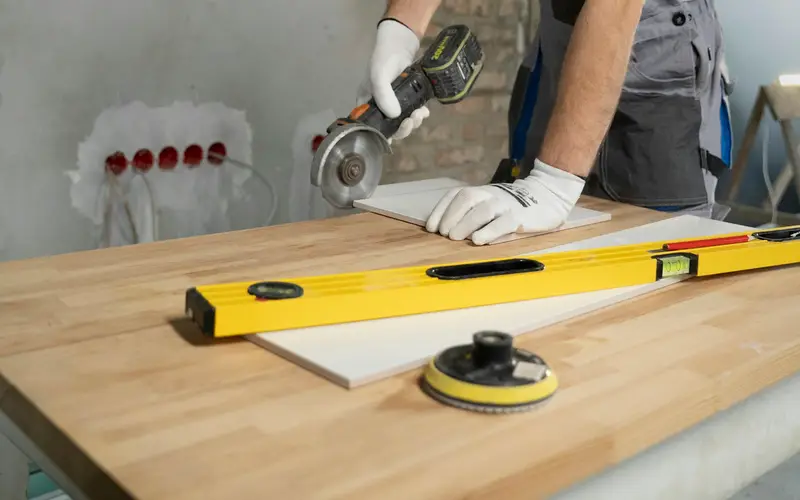
A contractor cutting tile with an angle grinder during a renovation

What remodeling contractors use most

  • Pick-one tiers on a single proposal
  • A deposit when the quote is signed
  • A signed payment schedule by stage
  • Permits and drawings kept on the project

Sound familiar?

What gets in the way, and what changes

Rewriting the quote every time the client wavers

They want to see the kitchen with stock cabinets and with custom, with and without the island, so you rebuild the same quote three times.

With Stacwork

Send one proposal with pick-one tiers built from your catalog, and the extras as options the client ticks on or off before accepting.

Progress payments that arrive late or not at all

The schedule was agreed over coffee at the kitchen table, demo is finished, and the client is not sure what they owe or when.

With Stacwork

Put the payment schedule in the proposal so the client signs it. It becomes the project's milestones, and you bill each one as the stage is done.

Permits and drawings in a truck, an inbox, and a desk drawer

The inspector wants the permit, the cabinet shop needs the latest drawing, and the copy you need is always somewhere else.

With Stacwork

Keep the permit, the drawings, and the supplier's quotes on the project or the job, and open them from the office or a phone.

How it runs

One kitchen remodel, from request to the first stage paid

A kitchen sold with three finish levels, a deposit at signing, and four stages billed as they are done.

Sample names and figures.

  1. Mon 7:45

    Kitchen remodel request

    The Garcias describe their kitchen on your request form, and you turn it into a quote with the address carried over.

  2. Wed 19:30

    Quote with three finish levels

    Standard, Mid, and Premium tiers, under-cabinet lighting as an extra to tick, an $8,000 deposit, and four payments by stage.

  3. Fri 12:10

    Mid chosen and signed

    They pick Mid with the lighting at $48,000, sign on screen, and pay the deposit by bank.

  4. Mon 8:00

    Four stages, four milestones

    Demolition, rough-in, cabinets, and finish become milestones at $12,000 each, with an owner and a due date.

  5. Tue 10:15

    Permit and drawings on the project

    The permit, the cabinet drawings, and the supplier's quote are kept on the project, and your lead opens them from a phone on site.

  6. Fri 15:30

    Demolition stage billed

    Demo is done, so you bill its $12,000 milestone, and the $8,000 deposit comes off on its own.

  7. Mon 9:20

    First stage paid

    The Garcias pay the $4,000 balance from the pay link by bank transfer, and the invoice says paid once the transfer clears.

Features for remodeling contractors

Built around big quotes and staged payments

Anything tagged Team and up needs Team or Unlimited. Everything else is on every plan, Free included.

Win the bid

  • Pick-one tiers like good, better, best

    Proposal mode adds your own sections and pick-one pricing tiers.

  • Extras the client ticks on or off

    Add optional extras the client can tick on or off before accepting.

  • A deposit taken at signing

    Ask for a deposit when the client accepts, paid by card or bank.

  • Templates for the remodels you quote most

    Save the quotes you send most as templates.

Run the build

  • A payment schedule that becomes milestones

    Add a payment schedule to a proposal. The client signs it with the proposal, and it becomes the project's milestones.

  • Milestones with an owner and a due date

    Track each project's milestones, each with an owner, a due date, a fee, and a status.

  • Permits and drawings on the project

    Keep each project's files and notes on it, from the office or a phone.

  • Assign a lead or a whole crew

    Assign one person or a whole crew.

Smaller jobs

  • Photos, checklists, and a signature on site

    Checklists, notes, photos, and the client's signature on each job.

  • Supplier quotes and permits on the job

    Keep a job's documents on it, such as a supplier's quote, a permit, or a drawing, from the office or a phone.

  • Materials carried onto the invoice

    Record the materials used, and they carry onto the invoice too, with their tax.

  • Crew time logged at each person's rate

    Log time on the job at your hourly rate, or a person's own, and billable time carries onto the invoice.

Get paid

  • Bill each stage when it is done

    Invoice each project milestone when it is done. The final invoice bills whatever is left.

  • The deposit comes off on its own

    A deposit paid on the quote or at booking comes off the invoice on its own, and is never counted twice.

  • Pay links for card or bank transfer

    Every invoice has a pay link. Clients pay by card or bank transfer, with no account needed.

  • Reminders before and after the due date Team and up

    Payment reminders are drafted before the due date and after it, and stop once the invoice is paid.

See everything in Stacwork

Plans

Every plan runs the whole loop.

Free covers request to paid in all five ways of working. Team and up adds the tools that keep clients close and the office ahead.

Free

For a solo operator getting started.

$0/month

billed monthly

  • Clients, quotes, work, and invoicing
  • All five work modes, with online booking, rentals, and the Register
  • Catalog, reports, and automated setup
  • 2 team members
  • 25 automated drafts per month
  • 2.5% card fee, 1% bank fee (capped)
  • 0.5% on cards taken in person
Start free
Most popular

Team

For a small team running the day together.

$49/month

billed monthly

  • Everything in Free, plus
  • Customer portal and messaging
  • Two-way texting from your own local or toll-free number
  • 500 texts a month, then $0.0229 each, $30 texting setup
  • Automations, inventory, and Co-work
  • Custom roles in the role editor
  • Up to 10 team members, then $10 each
  • 500 automated drafts per month, then $0.08 each
  • 1% card fee, 0.5% bank fee (capped)
  • 0.5% on cards taken in person
Try Team free for 7 days

The card and bank fees are Stacwork's platform fee, on top of standard Stripe processing on the payments you take. The Team trial needs no credit card. After 7 days you stay on Free unless you subscribe, and your data stays.

Work out your costs Compare every plan, including Unlimited

Questions from remodeling contractors

Straight answers about how Stacwork runs your day.

Can I show the client good, better, and best options on one quote?

Yes. Proposal mode adds pick-one pricing tiers, each built from catalog items, plus your own sections. You can also add optional extras the client ticks on or off before accepting.

How do progress payments work?

Build the payment schedule into the proposal. The client signs it along with everything else, and it turns into the project's milestones. Bill each milestone when the stage is done, and the final invoice bills whatever is left. A deposit paid on the quote comes off the invoice on its own and is never counted twice.

Where do permits, drawings, and supplier quotes go?

On the work itself. Keep each project's files and notes on the project, and a job's documents on the job, from the office or a phone.

Can my crew take photos and get a signature on site?

Yes, on jobs such as a door install or a repair. Each job has checklists, notes, photos, and the client's signature, and your crew sees their schedule and job details in My Day on their phone.

Do clients have to pay a large invoice by check?

No. Every invoice has a pay link, and clients pay by card or bank transfer with no account needed. A bank transfer shows as processing until the money clears. You can still record checks and cash.

Can homeowners follow the project's progress?

On Team and up, clients follow a project's milestones in the customer portal, pay a billed one, and open the files you share, such as the drawings.

Quote your next remodel with three options.

Free runs the whole loop for up to 2 people. No credit card.